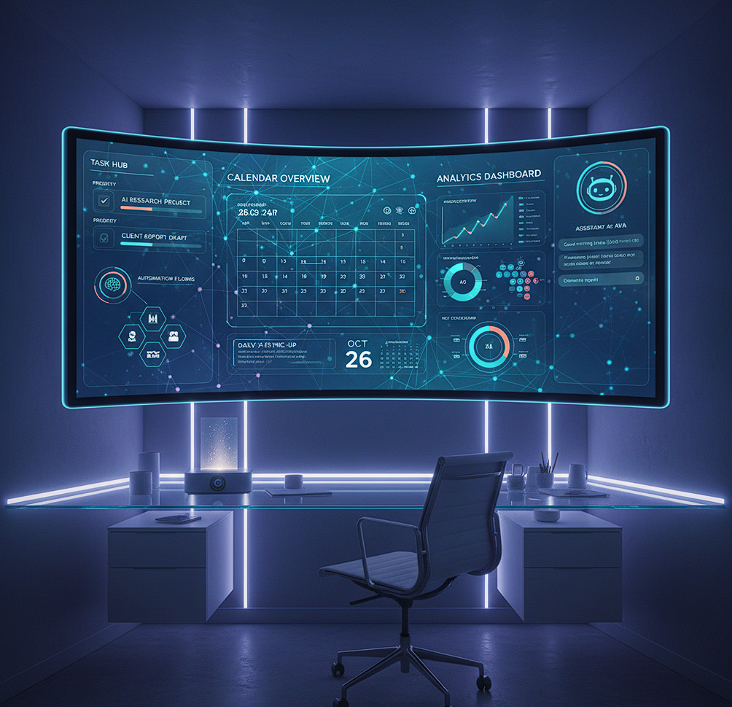
MyClaw Dashboard: Your Personal Command Center for Intelligent Productivity
Repetitive tasks eat up your day. Emails pile up. Schedules clash. You're switching between a dozen apps just to get through your to-do list.
But imagine having a single, intuitive interface that brings all these threads together—a place where your AI assistant isn't invisible behind the scenes, but front and center, streamlining every part of your workflow. Welcome to the power of the MyClaw dashboard: a dynamic command center for tech professionals, entrepreneurs, and creatives demanding true automation, clarity, and privacy.
Unlike cloud-based assistants that scatter your data across services, the MyClaw dashboard runs locally on your computer. It unites integrations—VSCode, Google Calendar, Trello, Excel—within one seamless view, so you can automate repetitive work without ever leaving the dashboard. No complex setup. No compromises to your data security. Just efficient, privacy-first interactions tailored for how you work best.
Ready to reclaim your time? Let's explore how the MyClaw dashboard transforms your daily tasks into actionable insights and streamlined automation.
What Makes the MyClaw Dashboard Different?
The MyClaw dashboard isn’t another passive background app. It’s a bold, interactive interface that gives you complete visibility and control over your digital workspace. Picture a command center where you monitor, manage, and automate everything—without toggling between tabs.
Local Deployment, Total Privacy
Every function of the dashboard is locally deployed. That means your most sensitive information—client files, project data, communications—never leaves your device. The MyClaw dashboard empowers you to see and control permissions with a single glance, ensuring total data privacy. For professionals handling confidential or proprietary work, this privacy-first environment is a must-have.
Unlike cloud-based alternatives, the MyClaw dashboard gives you full data ownership. No third-party access. No invisible data mining. Just intelligent automation on your terms.
Unified Tool Integration in One Place
App switching kills momentum. The dashboard eliminates digital chaos by centralizing your favorite tools:
- Email Management: Preview, sort, and respond—all from the dashboard, with real-time notifications.
- Calendar Coordination: Visualize meetings, deadlines, and to-do’s; reschedule with drag-and-drop simplicity.
- Project Tracking: See live Trello or Asana updates, assign tasks, and monitor status directly in one panel.
- Data Analysis: Launch spreadsheet automations, create charts, or build reports—all inside your dashboard workspace.
- Code Assistance: Use the VSCode widget for debugging, code suggestions, and automating recurring engineering tasks.
Each integration is purposely designed to minimize busywork and maximize actionable insight. You focus on big-picture strategy while the MyClaw dashboard makes routine execution invisible and frictionless.
Intelligent Automation at Your Fingertips
Forget rigid, pre-set automations. The dashboard adapts to your unique routines—highlighting recurring tasks, suggesting new workflows, and surfacing priority actions as your day unfolds. Automate weekly status updates, recurring billing, task reminders, and more—all managed visually, directly from your dashboard.
This adaptive method means the more you use the dashboard, the more it gets tailored to your evolving needs. No more micromanagement—just empowering automation.
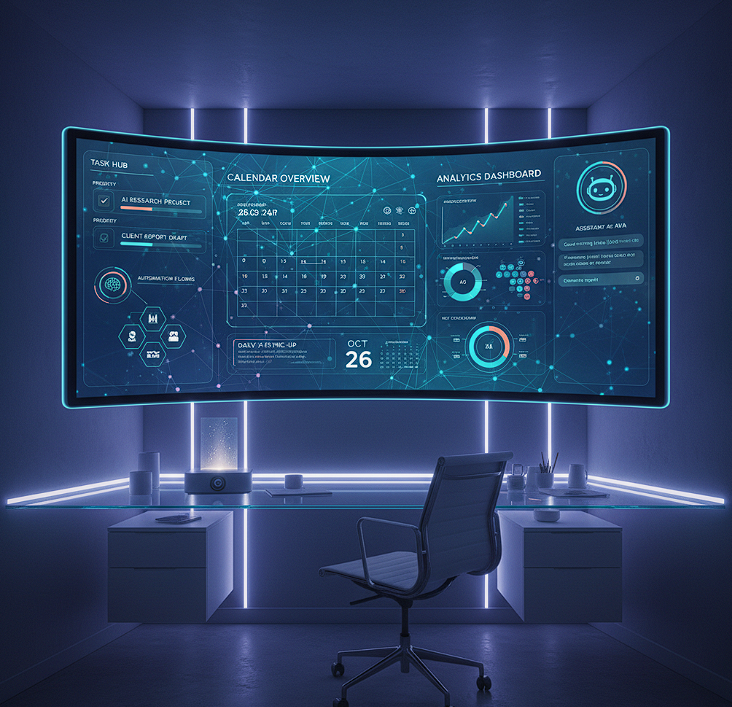 ## How the MyClaw Dashboard Transforms Your Workflow
What does a day look like with the MyClaw dashboard as your control room?
Morning: Launch with Clarity
Open your laptop and the MyClaw dashboard springs to life:
- Overnight emails filtered and sorted, with urgent items and suggested responses surfaced on your dashboard’s priority pane.
- Today's meetings, deadlines, and task summaries visible at a glance—no more hunting through scattered calendars or inboxes.
- Real-time status of ongoing projects and quick-launch actions to delegate, reschedule, or automate.
With the dashboard, you start every morning empowered, focused, and clear on your key priorities.
Midday: Stay in Flow
Distractions are workflow killers. The MyClaw dashboard keeps you in your productivity zone by:
- Surfacing quick actions—reply, schedule, automate—right from message notifications, so you never leave your screen's main context.
- Auto-generating insights and reports on your current projects, available instantly via your dashboard widgets.
- Managing repetitive inquiries, team follow-ups, or doc generation—just point, click, and let the dashboard take over.
Need to respond to a client’s data request? The dashboard automates the data retrieval, generates the report, and drafts the email—without pulling your focus away from creative or analytical work.
Evening: Effortless Wrap-Up
As the day winds down, your MyClaw dashboard compiles:
- A completion summary, showing accomplished tasks, pending actions, and tomorrow’s high-priority alerts.
- One-click options to snooze, automate, or highlight tasks for your next session.
- Visual reminders for outstanding items, so nothing gets lost in the shuffle.
You log off with peace of mind, knowing the dashboard has tracked and managed everything. No surprises. Just smooth day-to-day progress.
MyClaw Dashboard in Action: Real User Success
Erica, a remote software developer, cut her admin time by 30% using the dashboard. "Rather than jumping between apps, I see all my important alerts and workflows in a single place. The MyClaw dashboard definitely keeps my coding hours focused."
James, an entrepreneur managing a small business, doubled his output. "Everything I need—the status of invoices, project updates, even analytics—shows up on my dashboard. I automate more, worry less, and spend more time strategizing."
Sophia, a data analyst, relies on the dashboard’s local privacy and live integrations: "I'm dealing with sensitive client data all day. The MyClaw dashboard keeps it secure and instantly accessible."
These stories show the dashboard’s impact on real productivity—not just the promise, but the lived result.
Getting Started with the MyClaw Dashboard
Setting up the MyClaw dashboard is simple and user-friendly, designed for both novices and experts.
Installation Process
- Download: Get the latest installer from the official website.
- Configure: Connect your favorite tools—VSCode, calendars, Trello, data sources—guided by easy visual walkthroughs.
- Customize: Build your dashboard view: pin widgets, automate priorities, and adapt notifications to your workflow.
- Deploy: Launch the dashboard and start orchestrating your day from a single, customizable interface.
No cloud accounts. No lock-in. Just you and your personalized AI dashboard.
Customization at Every Level
The MyClaw dashboard thrives on adaptability. Drag, drop, and rearrange widgets. Define smart automations—from recurring reminders to multi-step process flows. Spotlight what matters and hide the rest.
- Task Types: Choose how emails, meetings, projects, and data are tracked on the dashboard.
- View Preferences: Group by project, deadline, or action type—the dashboard visualizes your workflow your way.
- Privacy Controls: Manage data access and local encryption directly from the dashboard’s settings panel.
Whether leading a team or solo hustling, the MyClaw dashboard creates your unique productivity cockpit.
The Privacy Advantage of the MyClaw Dashboard
The dashboard puts you in the driver’s seat, with all critical functions running locally:
- Data Ownership: Nothing leaves your device unless you explicitly allow it.
- Encryption: Set encryption standards and data retention directly via dashboard controls.
- No Third-Party Access: Your workspace, your rules—no information shared without consent.
For any project where security is essential, you can trust the MyClaw dashboard to centralize and protect your most important data.
Frequently Asked Questions About the MyClaw Dashboard
Is the MyClaw dashboard complicated to install?
Not at all. It’s designed for quick uptake—download, follow a guided configuration wizard, and your MyClaw dashboard is live. Visual guides and community tips help you optimize it further.
Can the dashboard work offline?
Absolutely. Since the MyClaw dashboard operates locally, you retain full functionality even without internet. Sync features are fully optional.
How does the dashboard handle complex, multi-step tasks?
With its modular layout and automation engine, the MyClaw dashboard allows you to build layered workflows and save them as reusable templates. Tweak existing widgets or add community-built modules for even more flexibility.
What if the dashboard encounters unfamiliar data or actions?
The MyClaw dashboard uses interactive prompts to learn your preferences. Over time, your responses become new automation rules—transitioning the dashboard from reactive to proactive.
Is there any cost associated with the MyClaw dashboard?
The MyClaw dashboard is open-source and free to use—no license fees, no gimmicks. Own your workspace and customize it as you see fit.
The Future of Productivity—with MyClaw Dashboard
Working harder isn’t the answer; working smarter—through actionable insights, seamless automation, and tight privacy controls—is where the MyClaw dashboard excels.
Whether you’re coding, analyzing, designing, or managing, the dashboard centralizes everything into an intuitive interface built for how today’s leaders actually work. Stop letting digital clutter hold you back. Start championing your workflow with the MyClaw dashboard as your productivity engine.
Ready to evolve your daily process? Make the MyClaw dashboard your next professional upgrade.
Skip the setup. Get OpenClaw running now.
MyClaw gives you a fully managed OpenClaw (Clawdbot) instance — always online, zero DevOps. Plans from $19/mo.