Self-Rescue Guide
Self-Rescue Guide: What to do if your MyClaw instance gets stuck
Because OpenClaw is a powerful agent with deep system-level permissions, it occasionally performs complex operations that might lead to a system loop or a temporary freeze. If your instance stops responding, don't worry—here is your quick Self-Rescue Guide to get back online in minutes.
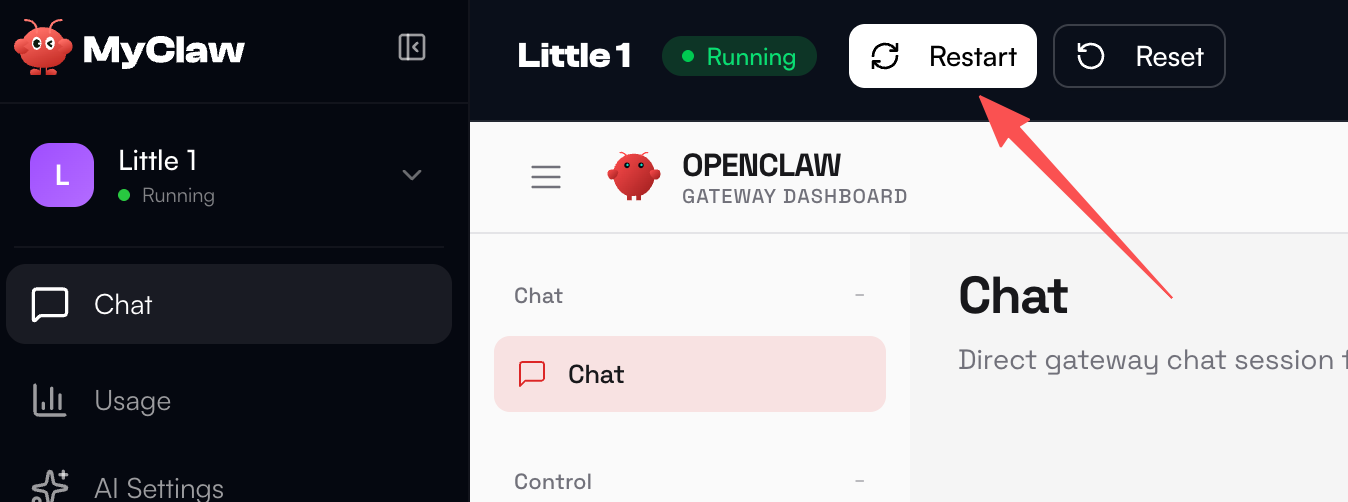
The Soft Restart
Go to your Dashboard sidebar, find the Server section, and click Restart. This solves most minor hanging issues.
The Nuclear Option — Delete & Recreate
If a restart doesn't fix it, you can delete the instance entirely and create a fresh one. Go to the Server section and click the Delete button to permanently remove the current instance.
After deleting, return to your Dashboard and create a new instance under the same plan. You'll get a clean environment and can set up your agent from scratch.
Note: This will permanently erase all data, including your agent's memory, conversation history, and custom configurations. Only use this as a last resort.
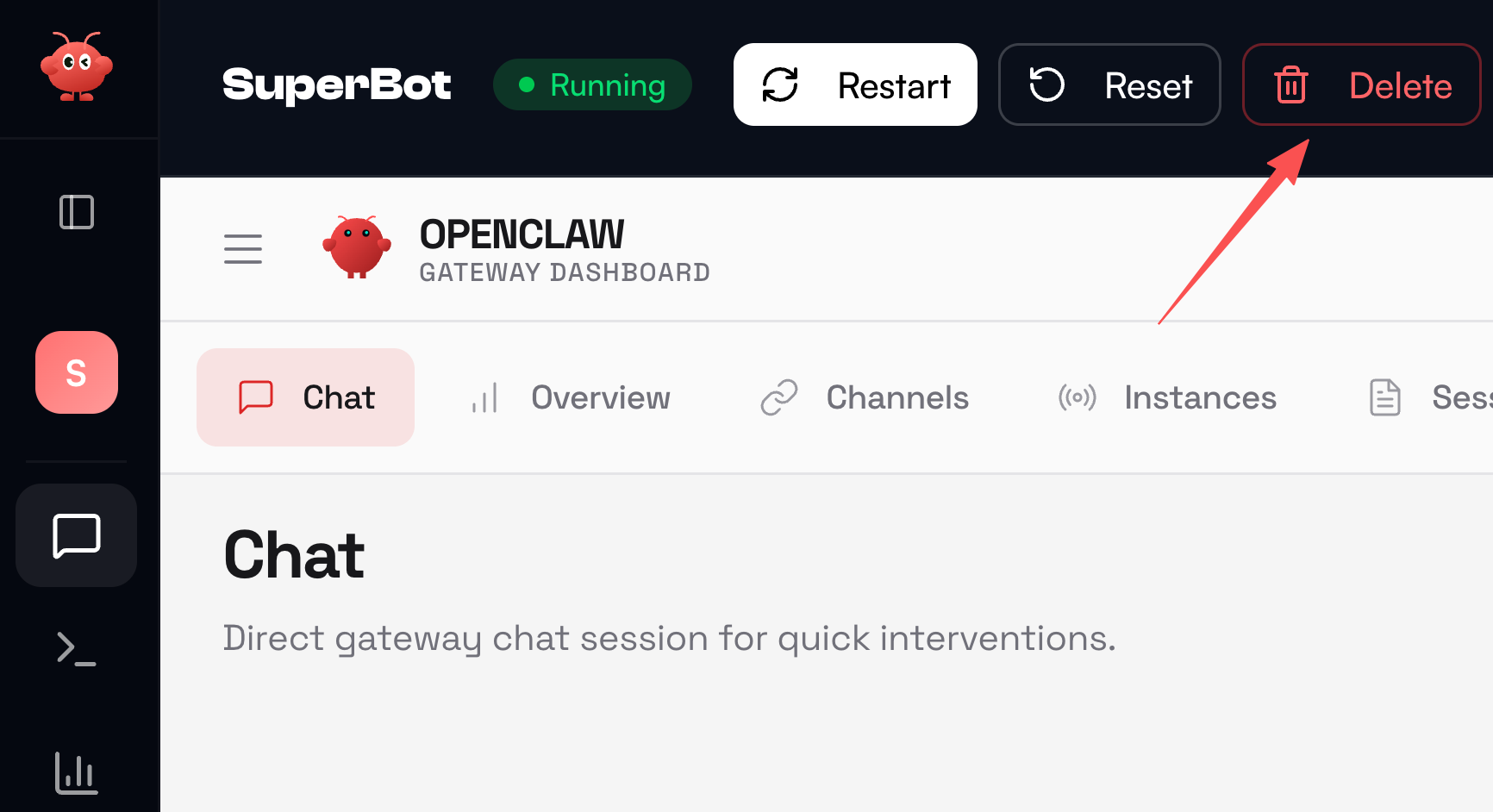
Follow these steps in order—try a simple Restart first, and if the issue persists, Delete & Recreate as the last resort. This covers virtually every issue you may encounter. As always, if you need further assistance, our team is here to help!